

SHARE



What Is WePage? The Easiest Website Builder for Beginners
March 25, 2026 | 13 min read
By WePage Team
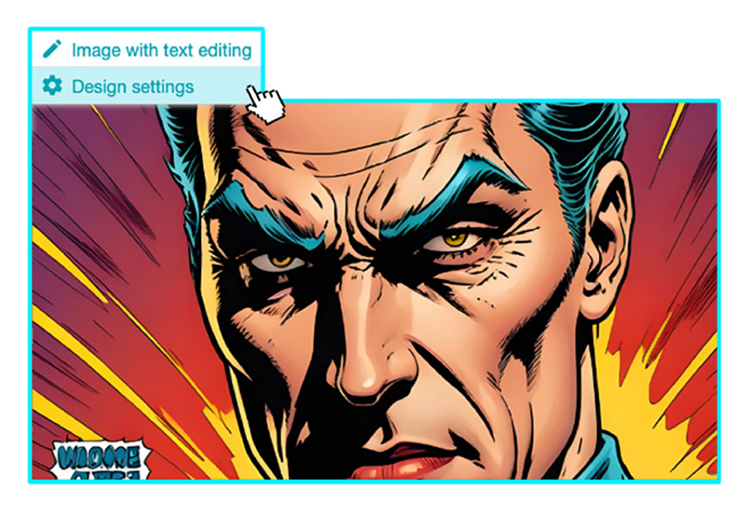
Table of Content
If you run a small business, freelance, or manage a local service, having a website today feels almost mandatory. People expect to search your name and find something. A clean page with your hours, services, photos, and contact details. Simple.
But building that website often feels like learning a new skill you never asked for. Menus inside menus. Design settings you do not understand. Terms like "CSS," "integrations," and "advanced layout controls." For many beginners, popular website builders quickly become overwhelming.
Most people are not trying to build a tech startup platform. They just want to upload information and photos without studying web design.
That is where WePage comes in. WePage positions itself as a no code website builder focused on simplicity. It strips away unnecessary technical clutter and lets you build a website by clicking, typing, and dragging elements into place. If you are searching for the easiest website builder for beginners, WePage is designed to remove the friction and help you publish fast.
1. What Exactly Is WePage?
WePage is a CMS, which is short for content management system. In simple terms this means it is software that aids in creation and management of a website without one having to write code.
One does not have to know HTML. One also does not have to comprehend CSS. There is no requirement to install hosting separately or configure complicated servers. It is built as an all-in-one system.
When you sign up, hosting is already included. SSL security is included. Templates are included. You are not juggling multiple services or paying for different tools just to get started.
The editing experience feels closer to using Word or PowerPoint than working inside a technical dashboard. You click on text to edit it. You click on an image to replace it. You drag and drop sections into place. If you can point and type, you can build a site.
For beginners, a few built-in features matter a lot:
- Hosting is included, so you do not need to buy it elsewhere.
- SSL security is included, so your site loads securely.
- Contact forms are built in, so visitors can reach you.
- Password-protected pages are available, which is useful for private content.
WePage is designed for speed and ease, not complexity. That is the difference.

2. Key Features of WePage
2-1. Thousands of Ready-Made Templates
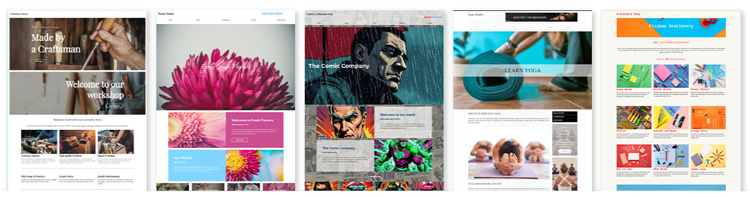
One major hurdle in building a website is having to deal with a blank page. However, WePage solves the problem by offering more than 300 templates. These layouts are designed for diverse sectors, such as beauty salons, restaurants, consulting agencies, freelancers, and small-scale enterprises, etc.
You can pick out a template that closely fits your vision. Then change the placeholder content and photos with yours. The basic structure is already created.
2-2. Mobile-Responsive by Default
Most users access your site through their mobile phones. WePage offers mobile responsive templates whereby website design will immediately change to adapt itself on mobile screens and tablets.
There is no need for you to create a different mobile version of your website. It is also unnecessary to change the size of each element one by one. The platform takes responsibility for giving your website that appealing appearance on mobile devices.
2-3. Built-In Tools Without Plugins
Some website builders require you to install plugins for basic features. That can lead to conflicts and technical headaches.
WePage comes with a variety of standard tools already on the platform; they include contact forms and personal pages that have password security. Because these tools are integrated into the system itself you will not depend on third-party plugins for keeping your website functional.
2-4. Edit From Your Smartphone
WePage also functions as a website builder for smartphone users. You can log in and update text, swap images, or publish changes from your phone.
For business owners who continuously move around, this is key. One can correct a typo, change out holiday hours, or post a new picture without ever having to sit in front of a desktop computer.
3. The Pros and Cons: Is It Right for You?
No website builder is perfect for everyone. WePage is built with a specific type of user in mind.
3-1. Advantages
First, it is extremely beginner-friendly. The interface does not overwhelm you with developer tools. You see your page as it will appear, and you edit directly on it.
Second, you can edit from your smartphone. That flexibility is not universal across all platforms.
Third, password-protected pages are included. This is useful for schools sharing updates with parents, consultants sharing private resources, or businesses hosting member-only content.
Fourth, email support is included even on the free plan. Many builders restrict real support to paid tiers.
Finally, the interface feels clean. There is no sense that you need to learn design theory before publishing.
3-2. Disadvantages
The free plan displays ads. Although it is normal practice in the field, if you want to create a fully branded website, you'll need to pay to upgrade.
The level of personalization offered by WePage is limited compared to developer-focused platforms. WePage does not allow you to edit the underlying HTML or CSS code. Advanced users may find this limitation restrictive.
WePage does not come with an integrated e-commerce solution to set up comprehensive online shops with shopping carts.
WePage focuses on simplicity above all else. If you need extensive personalisation options, deeper integration capabilities or a comprehensive ecommerce store, you may want to consider another platform.
4. How to Make a Simple Website Without Coding
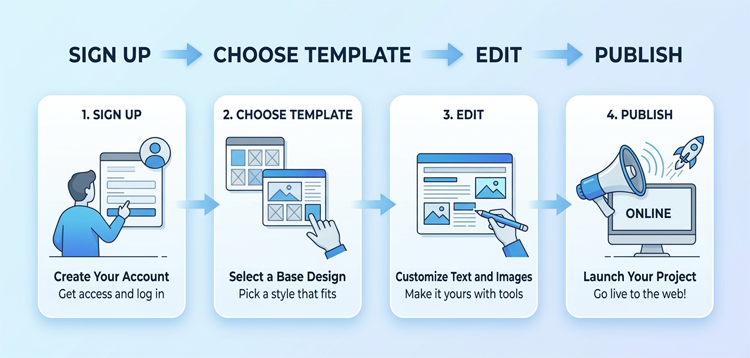
If you are searching for how to make a simple website without coding, here is the practical flow to do it in Wepage.
Step 1: Create a Free Account
You can sign up using an email address. The free plan is free of charge and doesn't require you to give any financial information or link it to a credit card. You can have fun exploring the editor with no financial burden on you.
Step 2: Choose a Template
After signing in, explore the templates available, and use filters to get some designs that fit your industry. Select something that closely matches your vision. Keep in mind that the example content provided can be edited as you wish.
Step 3: Edit Your Content
Click on text blocks to type your own words. Click on images to upload your photos. Replace business hours, services, contact details, and About information. This is where the drag-and-drop system feels straightforward. You are not dealing with code. You are simply editing content.
Step 4: Preview on Mobile
Before publishing, switch to mobile preview. Make sure text is readable and spacing looks clean. Since templates are responsive, this step is usually smooth, but it is worth checking.
Step 5: Publish
When ready, click Publish. Your website goes live immediately. There is no complicated deployment process.
5. WePage Pricing Plans (US Version)
Understanding pricing helps you decide if the free plan is enough.
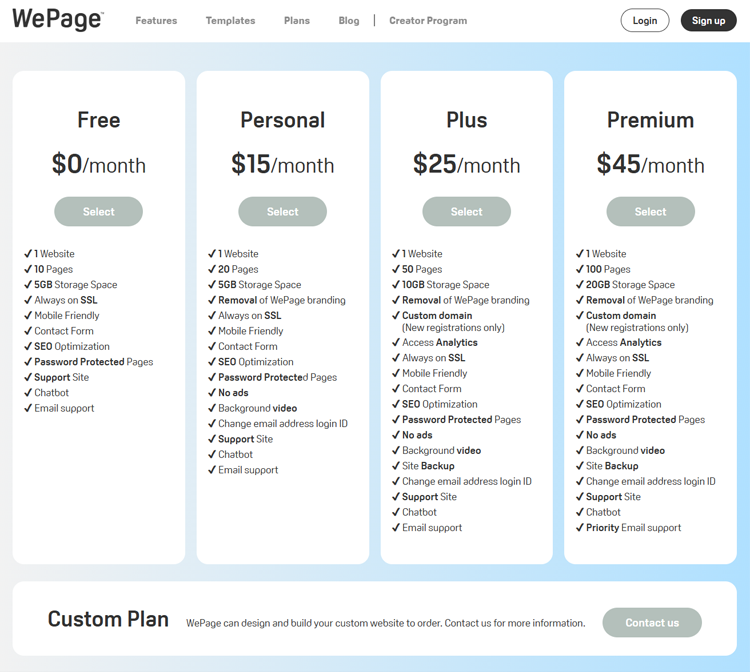
5-1. Free Plan – $0
The free plan includes:
- 1 website
- Up to 10 pages
- 5GB storage
- SSL security
- Mobile responsiveness
- Contact form
- Password-protected pages
- Email support
Note: Displays WePage ads.
Who should pick this: Anyone who wants to test the platform or simply needs a basic online presence without upfront cost.
5-2. Personal – $15 per month
Removes ads and adds features like background video support.
Who should pick this: Freelancers and small business owners who want a cleaner, fully branded presentation without platform advertising.
5-3. Plus – $25 per month
Includes custom domain registration and access to site analytics.
Who should pick this: Small business owners who need a professional branded web address — like yourname.com — and want to understand their visitor traffic.
5-4. Premium – $45 per month
Increases storage and page limits, and includes priority email support.
Who should pick this: Growing businesses with lots of high-resolution photos, videos, or expansive service menus that need more capacity.
For most beginners, starting on the free plan makes sense. Upgrade only when you feel the limitations.

6. WePage vs. Wix and Squarespace
Wix and Squarespace are popular websites. They provide robust website personalization features, advanced design tools, and native e-commerce solutions.
That power comes with complexity.
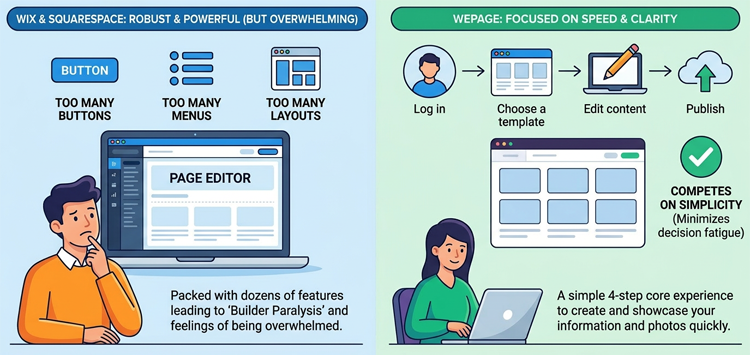
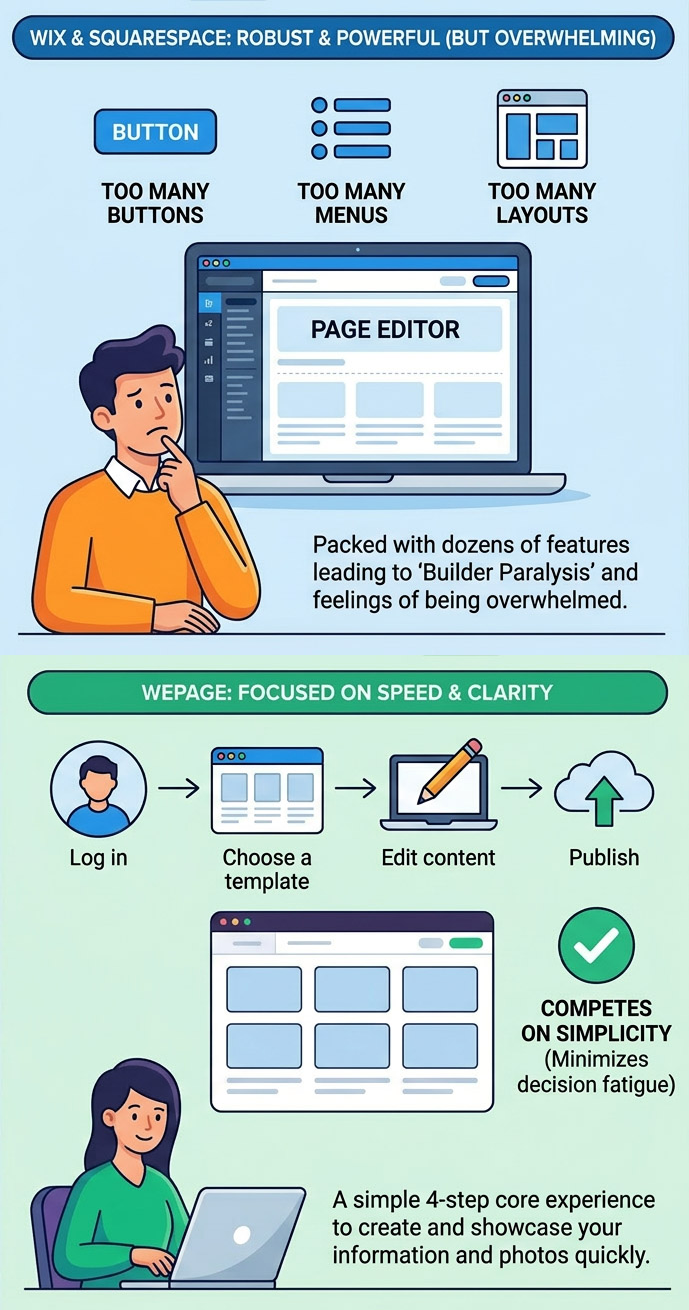
Beginner users will find Wix and Squarespace platforms packed with features which seasoned designers refer to as 'builder paralysis' - the moment when you access the page editor but cannot get started due to numerous options such as buttons, menus and layouts.
Dozens of features, application stores, advanced design controls and layer upon layer of personalisation tools are vying for your attention.
If you enjoy tweaking every small detail, then that could be interesting. If you simply need to create pages to showcase information and photos, then all those features can lead to feelings of being overwhelmed!
WePage focuses on speed and clarity. It does not try to compete feature-for-feature. Instead, it competes on simplicity. For users searching for Wix and Squarespace alternatives for beginners, WePage stands out because it minimizes decision fatigue. You log in, choose a template, edit content, and publish. That is the core experience.
7. Who Should Use WePage?
WePage works best for:
- Total beginners who have never built a website
- Small local businesses - salons, bakeries, restaurants, plumbers — that need an online presence fast
- Freelancers and consultants who want a simple, professional portfolio
- People are frustrated by the complexity of larger builders
- Business owners who prefer updating their site from a smartphone
It is not ideal for:
- Full online stores with product catalogs and checkout systems
- Developers who want direct code control
- Large organizations needing complex third-party integrations
8. Conclusion
You don’t have to be a web designer to put up a professional website. There is no need to learn coding language or handle servers. WePage eases out this process.
It gives users templates, hosting services, and security along with some simple editing tools in just one package. It aims at helping those who are new to websites get from their idea to an online site very fast.
For you to find a comfortable website builder if you're a starter, begin with the free plan. Have a trial run of the editor by replacing placeholder text with your own. View it on your mobile phone and click publish once ready. You will also have the option of upgrading later. What is most important is to get your information available on the internet.
SHARE
Related articles


