

SHARE



WePage Template Spotlight: "Zen Minimal" for Clean & Calm Brands
January 9, 2026 | 17 min read
By WePage Team

Table of Content
- What is the Zen Minimal Template?
- Who Should Use Zen Minimal?
- Core Design Elements of Zen Minimal
- The Power of Whitespace in Web Design
- Choosing the Right Colors for Your Zen Site
- Image Recommendations for Minimalist Websites
- How to Customize Zen Minimal
- Best Practices for Clean Website Design
- Getting Your Zen Minimal Site Up and Running
- Why Choose WePage for Your Minimalist Website Design?
- FAQs
- How is Zen Minimal different from other minimalist website templates?
- Can I add more features to Zen Minimal without ruining the clean design?
- Will my Zen Minimal site look too similar to other sites using this template?
- Is minimalist design appropriate for my industry?
- How much does the Zen Minimal template cost?
- Do I need design experience to make Zen Minimal look good?
Less is more. That's the thinking behind WePage's Zen Minimal template, a simple drag-and-drop website builder choice for businesses that prefer to present themselves as calm, clear, and confident.
If your business or creative work revolves around well-being, mindfulness, minimalism, and elegance, this minimalist website design gives you what you need without unnecessary clutter.
The Zen Minimal template is free from distractions and adds sharpness to your message. No flashy animations, no busy backgrounds, no competing elements vying for attention. Just clean lines, well-apportioned spacing, and a layout that allows visitors to breathe.
1. What is the Zen Minimal Template?
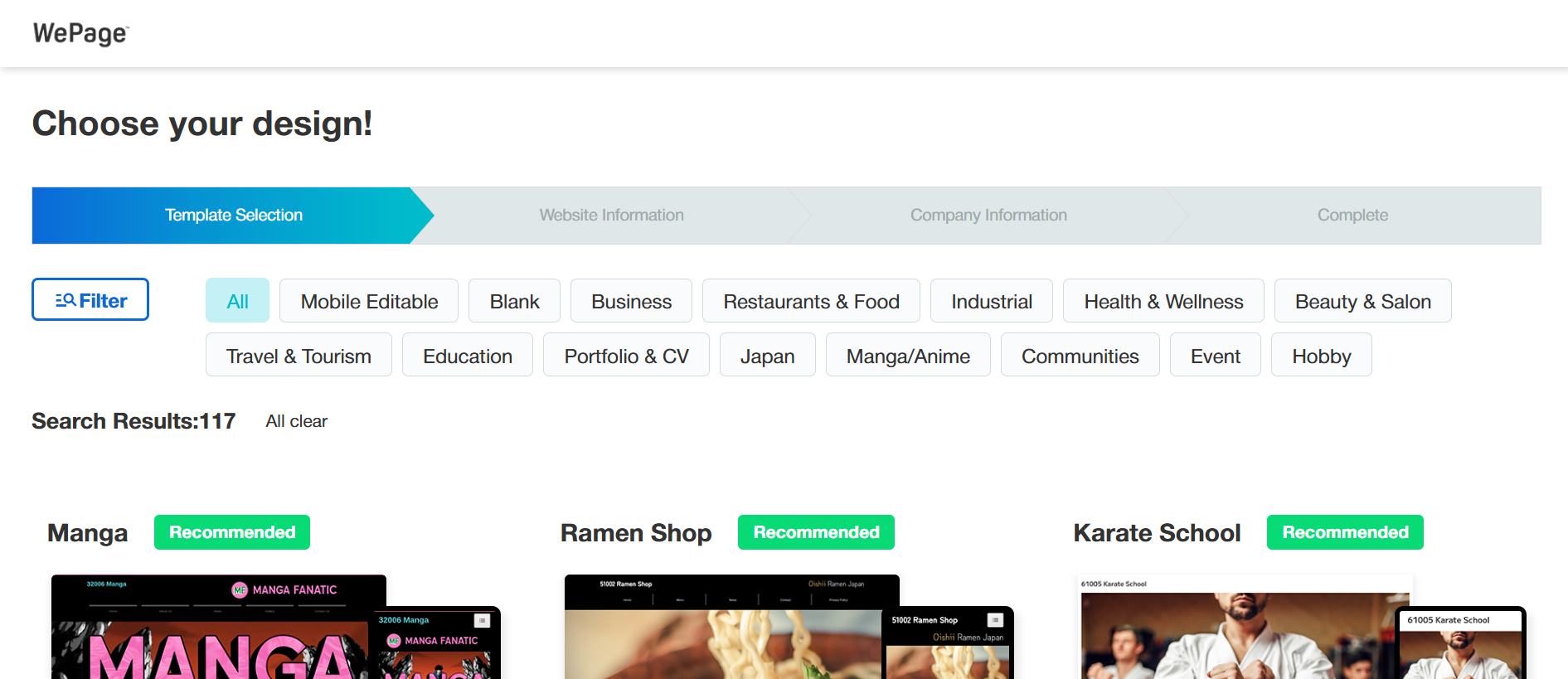
Zen Minimal is a WePage template designed specifically for minimalist styles.
It’s not for the heavy-handed; it’s made for people and brands that understand the power of restraint. Unlike bloated templates full of unnecessary features, Zen Minimal focuses only on what matters.
Once the template is selected, setup is immediate.
2. Who Should Use Zen Minimal?
This clean portfolio template with a health theme caters to those niche groups even better:
- Wellness Professionals, Therapists, Counselors, life coaches, nutritionists, and holistic health practitioners all require websites that feel calm and reliable. Zen Minimal's calm, meditative look will naturally relax potential clients. Your website is an extension of the healing space you hold.
- Yoga and meditation instructors. When you're a teacher of mindfulness practices, your mindfulness should be reflected in your website. Zen Minimal's clean website builder approach offers the same simplicity and focus you've mastered in your courses. Schedule details, class descriptions, and the reservation process are still straightforward and visible.
- Creative portfolios: photographers, graphic designers, writers, or artists. Your work should speak for itself in a creative portfolio. A clean brand site allows your portfolio pieces to shine without fighting for space with a conflicting design. Zen Minimal provides gallery layouts that curate your work with style.
- Small Boutique Businesses: Are you vending handmade items, artisan goods, or curated collections? The website's serene design helps make premium products feel even more special. A crisp look indicates quality and care.
- Bloggers & Writers benefit from Zen Minimal when blogging on a variety of topics, Zen Minimal is also the perfect choice. Typography is made to be read, not squinted at, and the layout features your writing front and center, with no useless distractions.
- Professional Service Providers: Consultants, law firms, and other professional service providers. Professionals like consultants or lawyers, or accountants who want a professional-looking site that conveys competence and trustworthiness often use the simple portfolio template approach. Clean design suggests clear thinking.
3. Core Design Elements of Zen Minimal
Why does this minimalist website design look so good? A few conscious decisions are behind the collective sensation:
White is slightly off-white with light beige tones, combined with neutral and earth accents.
You can modify the palette using WePage's fancy fine-tuning options, but they carry the aesthetic by default.
Typography that flows naturally is central to the design. Font choice plays a crucial role in minimalist designs. Zen Minimal is developed with neat and modern fonts that illustrate clarity and perfect readability. Headers are bold enough to establish hierarchy without yelling. The body text is larger and the spaces between characters are more open to accommodate reading with ease, even on longer pages.
Strategic Whitespace Here is where the Zen layout template really comes in handy. Whitespace (which can also be known as negative space) is not wasted space. It's breathing room. It helps direct the eye, creates focus, and makes everything feel less crowded. More on this below.
Subtle Visual Hierarchy. Each page has a clear top-to-bottom priority. Your eye knows which point to look at first, then second, then third. This is accomplished through size, spacing, and positioning, not bright colors or animations.
Focused Navigation: The menu is clean and easy to manage. No mega-menus with 47 options. Only the basic pages your visitors want to see. This simplicity minimizes decision fatigue and enables people to get where they want to be expediently.
Mobile-First Responsive Design. More than 60% of people browse the web on their phones. Zen Minimal is gorgeous on every screen size, phone, tablet, and desktop as well, because it's built mobile-first. Its simplicity actually plays a lot better on smaller screens than the busy template does.
4. The Power of Whitespace in Web Design

Whitespace deserves its own section because it is the secret element that makes minimalist website design work.
- What Whitespace Really Does. Whitespace provides visual rest. When you look at a busy page, your brain needs to process everything on it, figure out what's important, and filter out noise. That's exhausting. Pages with ample whitespace feel easier to navigate because they are quite literally easier. Your brain won't have to labor as mightily.
- Types of Whitespace in Zen Minimal: You just have two: macro whitespace (at least between major chunks) and micro whitespace (in between text lines, around buttons, and list items). Both matter.
Macro whitespace makes a distinction between your homepage hero section and its services section from the testimonials.
Each area gets its own space. It's micro whitespace that lets the individual text blocks breathe, and your buttons become tappable.
- Common Whitespace Mistakes to Avoid. Many will choose a clean website builder and then try aggressively to fill that space with content. Resist this urge. If you feel yourself thinking "this seems too empty," the odds are good that you are looking at exactly the amount of space it wants.
Do not shrink margins to fit more text. Avoid squeezing paragraphs together by adjusting line height. Don't eliminate padding around images. These will be your load-bearing walls in the design.
- Whitespace in Various Industries: Luxury brands tend to employ a great deal of whitespace as it evokes exclusivity and quality. Wellness website design uses whitespace to make people feel calm. Art portfolios rely on whitespace to allow each work to figuratively breathe. The principle scales to use cases while providing the same purpose: clarity.
According to research done by the Nielsen Norman Group, proper use of whitespace results in 20% greater comprehension and lends a more premium feel to content, regardless of what you're selling.
5. Choosing the Right Colors for Your Zen Site

Colors on a Zen layout template "pop" more than those on busy designs and need to be chosen with more care. With less to distract the eye, we become more attuned to each choice of color.
Neutral Base Colors Begin with your base: whites, creams, light grays, or soft beiges. These are the elements that create the calm website aesthetic of Zen Minimal. Your base color should cover a lot of your site, and it really decides the mood and vibe.
All white (#FFFFFF) looks clean and contemporary. The off-white or cream (#F8F8F8, #FAF9F6) seems warmer and softer. Light gray (#F5F5F5) gives a hint of sophistication.
Accent Colors: Yes, there are buttons, links, and emphasis even on minimalist brand sites that could use anything other than black and white. Just one or two accent colors at the most. They should be muted, not glossy.
- For wellness brands: soft sage green, dusty blue, warm terracotta, gentle lavender.
- For professional services: navy blue, charcoal gray, deep burgundy, and forest green.
- For creative portfolios: Any color can be fine if you use it sparingly and with purpose.
Text Colors Black on white is the highest contrast and most legible, but pure black (#000000) can be overwhelming. Dark gray (#333333 or #2C2C2C) is just as crisp but seems a bit more gentle on the eyes.
Testing Your Color Choices: Test the way your color choices look on other devices. When testing your website on different devices and with different lighting conditions. Colors that seem just right on your computer may feel completely wrong on a phone in bright sunlight. The contrast checker from WebAIM will help you keep your text readable.
When to Break the Rules: If you have brand colors that are not neutral, you may still apply Zen Minimal. Just use those colors sparingly. A photographer who does colorful street photography might want a minimalist website design that features pops of these colors on his/her website, for example.
6. Image Recommendations for Minimalist Websites
Poor-quality images undermine the simplicity you worked hard to achieve.
- What Works in Zen Minimal High-quality photography with negative space. Images with room to breathe in the photo add to your general design aesthetic, and they can still be shared whenever you desire. A clean background always trumps a busy shot.
- Consistent image style. If your first image is bright and airy, a consistent style throughout will work. Pairing moody, dark images with bright, airy ones results in visual whiplash in a simple portfolio template.
- Simple compositions. The best photos have clear subjects and uncluttered backgrounds. Better to have one person meditating in an empty room than a group shot at a busy event.
- Natural colors. Quiet, natural color palettes work better with the calm website aesthetic than overtly over-filtered, oversaturated pictures.
What to Avoid: Generic-looking stock photos. We've all watched the identical yoga poses, handshakes, and laptop-on-desk poses. If you can, take your own photos or locate stock images that don't make you feel like a stock photo.
Busy backgrounds. Images with lots of objects, patterns, or competing elements have a wrestling match with your minimalist design.
Low-quality images. Grainy, pixelated, or dim photos are even more noticeable in a clean design than they would be in a cluttered one. Quality becomes that much more important when there is nowhere to hide.
- Image Sizes and Proportions Zen Minimal offers some of the image slots you should use, and suggests sizes. WePage will optimize the pictures you upload, but it does help to start with images of the right size. Big hero images usually operate at 1920x1080 pixels. Images get uploaded fine at 1200x800 pixels in galleries, for instance.
- Creating Visual Breathing Room: Have breathing room around your visuals. Keep them from huddling up against text or other elements. The Zen layout template gives you spacing out of the box, but it's customizable. When it comes to minimalist website design, more space scores over less space.
7. How to Customize Zen Minimal
With minimalist templates, one fear is that your site will end up looking like every other site on the internet using that same template. The good news? It's the little things that make a big impact on clean design.
Getting Started: Create a WePage account, then pick Zen Minimal from the template library. You'll plop down into the visual editor, where you can visually see and make changes to everything.
Adjusting Your Color Scheme: Click to open the color picker of any element. Change the accent color to your brand. Customize session background tones to the precise warmth or coolness you desire. The changes are automatically applied across your site.
Customizing Typography: While Zen Minimal's defaults are perfect, you might have your own brand fonts. Pick fonts that contribute to the cleanness. Google Fonts has some great free options that are perfect for wellness website design.
Modifying Layout Spacing: This is where you adjust whitespace. Add or remove margins to sections. Adjust margins between elements. Even tiny spacing changes make a big difference in overall feel.
Adding Your Content Now, add your own content by clicking the first text box and begin editing. Drag image placeholders to add your images. Our editor in WePage shows you exactly what your changes will look like, so there is no guessing.
Rearranging Sections Can't stand the order of sections? Simply drag them to move into new positions. You want your testimonials up above before your services? Move them. This freedom will enable you to design a unique structure, yet the website looks minimal.
Creating Additional Pages There should be more about your site (About, Services, Portfolio, Contact, etc). Create or add pages through the page manager. Small additional elements or even entire pages can add new structure to your site without altering the distinctive Zen Minimal design.
8. Best Practices for Clean Website Design

However, simply choosing from one of the simple portfolio templates doesn't necessarily ensure a good outcome. Here's what you need to know to achieve the Zen Minimal look:
Write Concise Copy. Minimalist design works in beautiful harmony with minimalist writing. Make every word count. Cut filler phrases. Get to the point. And your readers will be grateful for the courtesy extended to their schedules.
Short paragraphs are better than long walls of type. Try to shoot for 2 to 4 sentences per paragraph. Use subheadings to divide long content.
Create Clear Calls to Action. With fewer elements on the page, your calls to action should be clear. "Book a Session," "View Portfolio," and "Get Started." Use clear, action-oriented language. Buttons should be large enough to feel, but small enough not to dominate.
- Maintain Visual Consistency: Use the same button style over your entire site. Keep image treatments consistent. Stick to your color palette. These are kept consistent and, as such, feel professional.
- Limit options. Decision fatigue is real. Your menu can have 5 to 7 main things at most, easily navigated to. Your homepage should direct people toward 2 or 3 core actions.
- Optimize Loading Speed. Clean designs should load fast. Compress images before uploading. WePage does most of the optimization for you, but it certainly doesn't hurt to get things started on the right foot. Google research shows that pages loading in 2 seconds are the sweet spot for user satisfaction and conversion rate.
- Test on Multiple Devices: View your site on phone, tablet, and desktop. Have friends test it on their devices. The clean design of a website builder should look intentional on any device.
- Update Regularly. A wellness website design feels abandoned if the last blog post is from two years ago or testimonials mention your "new location" that's been open for three years. Keep content fresh, change seasonal images, or add pieces to a portfolio.
- Less is truly more. When in doubt, subtract rather than add.
9. Getting Your Zen Minimal Site Up and Running
Ready to create your serene, clean website? Here's the straightforward process:
- Step 1: Create Your Account. Navigate to the registration page on WePage and register using your email address. The process takes about 30 seconds to get set up; no credit card is needed.
- Step 2: Select Zen Minimal. Browse the template library and choose Zen Minimal. You may want to preview it first so that you can see how the entire layout will appear before selecting.
- Step 3: Add Your Content Swap template text for your own words. Add your images, write your About page, and add your services or portfolio items. Work through each page methodically.
- Step 4: Customize Colors and Fonts. Change the color palette according to your brand. If you have certain fonts, put them in. Your template is truly yours, yet you remember the minimalist website design principles.
- Step 5: Review and Refine. Step back and review your site as a visitor would. Is the navigation clear? Do your CTAs pop? Are you using whitespace effectively? Make adjustments as needed.
- Step 6: Publish Your Site. Once you're satisfied with everything, click publish. Your site is online instantly with a free WePage subdomain. Want your own custom domain? Explore WePage's pricing plans for very low-cost options that come with a custom domain, analytics, and ad-free hosting.
Getting Help When You Need It. WePage support is only an inquiry form away. The platform is user-friendly, but help is there when you need it.
Free vs. Premium Options: You can make a full website with WePage's free plan. It comes with the Zen Minimal template, hosting, and all built-in features. Premium plans ($10 to $30 per month) take away WePage branding, let you add custom domains, throw in visitor analytics, and support priority.
10. Why Choose WePage for Your Minimalist Website Design?
 Why Choose WePage for Your Minimalist Website Design?
WePage has something unique in its website builder offering: design taste ingrained into the platform. WePage is a Japanese company that has expanded to the US, so they know the aesthetics that actually make minimalist design work. It appears in templates such as Zen Minimal.
The platform is geared toward creators and small businesses who care about how their site looks but do not want to turn into web developers themselves. With the visual editor, pre-built sections, and live preview to ensure you are spending your time on your business instead of on fixing code.
Pricing stays accessible too. Though competitors usually charge $20 to $40 per month for comparable features, WePage offers it all and keeps costs down. This is important to wellness practitioners, creators, and small businesses.
The Zen layout template in particular captures the "less is more" ethos so many brands require but are unable to implement. It's not simply a matter of eliminating elements at random. It's about grasping what works to advance your ideals and what does not.
For businesses and people who speak calmly, clearly, and confidently in their work, this is the perfect digital home: Zen Minimal. It's not flashy or trying to follow a trend. It is trying to be timeless, clear, and beautiful. For some brands, that's just what they need.
11. FAQs
11-1. How is Zen Minimal different from other minimalist website templates?
Zen Minimal takes the concept of "removing stuff" from a template further. It's designed from the ground up with the minimalist design approach guiding every aspect of development. It involves all of the spacing ratios and type choices and color relationships and layout structures, adding up to something that's truly minimal, not just an empty variation on a crowded design.
11-2. Can I add more features to Zen Minimal without ruining the clean design?
Yes, you can still add some functionality without changing the look. The key is being selective. If you need those features, add a booking system, a blog, or a shop, but design it clean within those sections. Use your own palette of colors, employ plenty of space, and don't succumb to complexity even as you add functionality.
11-3. Will my Zen Minimal site look too similar to other sites using this template?
In minimalist design, small tweaks make a world of difference. Your custom images, branded color adjustments, specific copy, and layout choices are what make your website truly unique to you. Two Zen Minimal websites with different content and slight coloring would look very different.
11-4. Is minimalist design appropriate for my industry?
Minimalist website design is ideal for wellness, creative portfolios, professional services, and boutique retail. It can translate for just about any industry if your brand is modern and sophisticated. The big question, however, is whether your brand's personality leans toward calm and clean aesthetics or if it needs something more lively.
11-5. How much does the Zen Minimal template cost?
The template is free to use. WePage's free plan combines the template, hosting, and major features, so you can create and publish the entire website on it. Upgraded plans from $10 per month add custom domains, WePage branding removal, analytics, and support.
11-6. Do I need design experience to make Zen Minimal look good?
No design experience required. The defaults are well-thought-out and professional already in the template. Stick to the built-in spacing, stay within the preset color palette, make use of their layouts, and your site is going to look great. The template does the hard design work, so you can concentrate only on your content and message.
SHARE
Related articles


