

SHARE


)

How to Choose the Right Color Palette for Your Website (Even If You're Not a Designer)
January 5, 2026 | 17 min read
By WePage Team

Table of Content
- Why Your Website Color Palette Actually Matters
- Understanding Basic Color Psychology for Websites
- The 60-30-10 Rule for Beginner Design
- How to Choose Colors that Complement Each Other
- Selecting the Most Appropriate Colors on Your Particular Website
- Basic Color Mistakes Amateurs Commit (And How to Prevent Them)
- Testing Your Website Color Palette Before Committing
- Resources and Tools of Non-Designer
- How WePage Makes the Choice of Color Easier
- How to Find Your Color Palette in 5 Easy Steps
- When to Use Templates vs. Custom Color Schemes
- Making Your Website Consistent
- Mobile Colors: Making Your Colors Work
- What to Do When You Are Still Stuck
- FAQs
- What is the best website color palette for beginners?
- What is the number of colors that a site is supposed to possess?
- Which are the most appropriate colors used in a professional site?
- How can I select the colors that fit my brand?
- Is it possible to modify my colors on the site after the site is launched?
- Are colors of websites critical in conversion rates?
- Summary
You do not necessarily have to feel like you are picking your colors when it comes to choosing the colors to use on your website. No wonder you are looking at your screen now and pondering whether blue is professional enough or if this orange is too bright. Here's what I want you to know: you don't need any design training to pick a website color palette that works for your business.
The correct colors will make people believe you, press your buttons, and keep in mind your brand. The wrong ones? Tourists will go away without reading what you have to offer. Nevertheless, it is quite easy to decide on the colors of a website when you are aware of certain simple things.
1. Why Your Website Color Palette Actually Matters
Your website color scheme is what people notice first. Their brain is already deciding on whether they like what they see before they even have read a single word on your site. Studies indicate that it is less than 90 seconds before a person forms an opinion about your site, and the majority of this is based on color.
Colors evoke emotions among people. They direct a gaze towards significant buttons. They render text simple to painfully read. In cases like when you are developing a site on a site-building application like WePage, this knowledge would assist you in developing a site that is presentable without having to pay a designer.
2. Understanding Basic Color Psychology for Websites
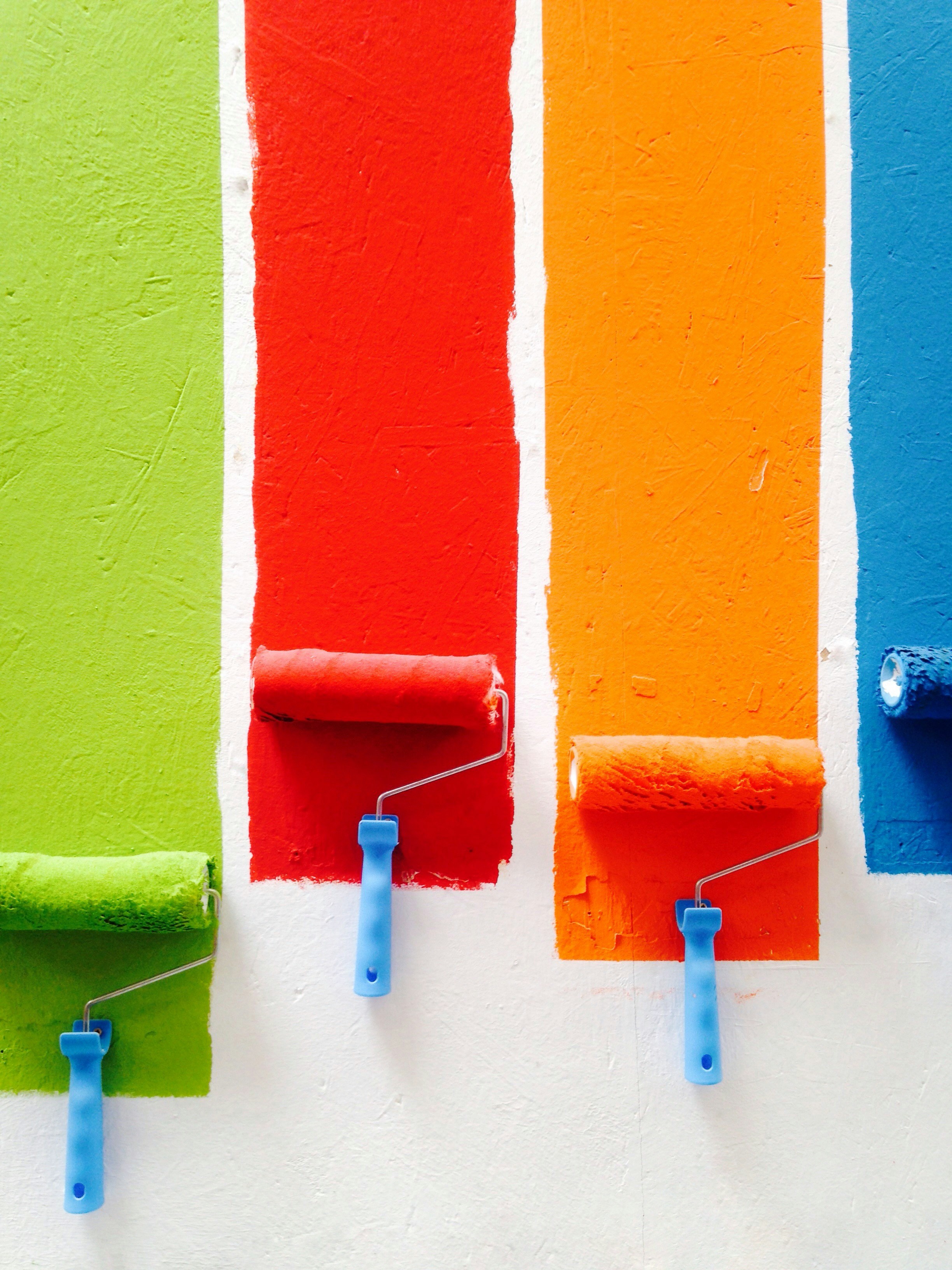
Color psychology sounds fancy, but it's really just about matching feelings to what you want people to do. With each color, there is a different message.
Blue instills confidence and causes individuals to feel relaxed. This is why it is used anywhere by banks and tech companies. Blue is a good color in case you need people believing in you and entrust their money or personal information.
Red grabs attention fast. It is also daring, and people cannot help but do something now. Online stores make red color red on their Buy Now buttons because it receives more clicks.
Green depicts prosperity, wellness, and wealth. It is effective with the wellness brands, anything environmental, or even financial services.
Yellow is very pumpkin, pleasant; however, excess of it may prove to be overwhelming. Think of it like hot sauce. A small portion makes it just fine, but an excess will destroy it all.
Black and white are very costly and neat. Brands in the luxury business utilize tons of black as it makes everything look high-quality.
Orange is energetic and fun, and not as aggressive as red. It is ideal for creative business or when you need somebody to click something.
The trick here is to relate these sentiments to what you are selling. Running a daycare? It is logical to use bright colors and be happy. Starting a law firm? Keep it with blues and grays, then people get serious about you.
3. The 60-30-10 Rule for Beginner Design
This rule makes picking a website color scheme almost foolproof. Here's the breakdown:
- 60% is to your dominant color (white, light gray, or cream)
- 30% Your secondary color (your primary brand color)
- 10% One tenth of your accent color (the pop that catches the eye)
Consider the way you dress in the mornings. Like your pants, your color is dominant. It covers the most space. Your shirt is your secondary. The color of your accent is your shoes or a jewel. Small, but people notice it.
The 60% on your internet site is your background. The 30 percent appears in the headings and larger areas. The 10 percent would be your buttons and links and things people want to point out.
This formula will prevent you from producing the rainbow mess-up screaming that I have no clue what I am doing. It maintains the appearance of everything being in place and leaves you with space to be creative.
4. How to Choose Colors that Complement Each Other
The easiest way to find color combinations for websites is to use patterns that designers have relied on forever. You do not have to know anything about art school, all you need to do is stick to these ideas:
- Complementary Colors are the color opposite each other on a color wheel. Purple and yellow, or blue and orange. They make lots of contrasts and dynamism.
- Similar Colors are positioned side by side on the wheel. Like blue, blue-green, and green. These are peaceful and harmonious.
- Monochromatic Scheme involves the use of varying colors of a single color. All blue or all green. This is advanced, and you can hardly use it.
- Triad Colors represent a triangle shaped in the color wheel. They are colorful and more difficult to pull off.
In case you are a beginner, use monochrome or similar schemes. Choose a single color that you like very much, then apply lighter and darker color to the rest of your site. Add white, black or gray to contrast, you are golden.
The work is mostly done by the free tools such as Coolors, Adobe color or the color palette generator provided by Canva. You enter one color of your liking, and they give you entire palettes that match well.

5. Selecting the Most Appropriate Colors on Your Particular Website
Vibes are different in various types of websites. Here's what tends to work well:
- Online stores: The colors should be used depending on what you are offering but the backgrounds should be used in neutral tones so your products will stand out. Ensure that some buttons such as the Add to Cart are contrasted with the background.
- Professional services (lawyers, accountants, consultants): Friends of blues, grays, and whites. For buttons, add one accent color, such as gold or deep red. It is better to play on the safe side rather than to be too imaginative on this subject.
- Businesses that are creative (photographers, artists, designers): You have more freedom to experiment. Just make sure your website color palette doesn't compete with your actual work.
- Dining places and other food-related establishments: Red, orange, and yellow are warm colors that in fact make one hungrier. Combine them with natural brown or green fresh.
- Health and wellness: Green, blue, and soft earth colors bring the feeling of trust and safety that people desire in healthcare.
- Tech startups: Blue remains the most popular, but the modern tech sites introduce dynamic colors of accent, such as electric blue, purple, or coral, to appear innovative.
With the templates presented by WePage, you can find many of these color schemes ready to use. You do not need to create them afresh.
6. Basic Color Mistakes Amateurs Commit (And How to Prevent Them)
- Using too many colors. Stick to 3 or 4 colors max. Beyond that appears to be sloppy and unprofessional. Each color must have a role to play.
- Ignoring contrast. The reading of light text on a light background is impossible. Same with dark on dark. Sixty When typing, make sure your writing is readable. When your grandmother strain her eyes, adjust it.
- Wearing colors that you prefer rather than colors that work. Because purple is your favorite does not mean that it augurs well with your business. Select according to the needs of your company, not what you would paint your bedroom.
- Using pure black. The black color 000000 is too ugly on the screens. Instead use a very dark gray such as 1a1a1a. It is not so eye-straining and appears up to date.
- Neglecting people of color blindness. Approximately eight percent of men are unable to perceive some colors. Do not use color as the sole way of displaying significant information. Use text labels and icons too.
- Homogenizing everything to the same intensity. Still, though this may be in case your colors are contrasting, yet at the same time are equally bright, they will mingle and appear flat.
7. Testing Your Website Color Palette Before Committing
Your colors should be tested before you construct your entire site. Here is how:
Draw a basic mockup using your preferred colors. Place them in large blocks in a page. Look at it for a day or two. Do the colors remain appropriate, or do they cause you a headache after looking at them?
Demonstrate your palette to 3-5 individuals, who fit your target customer. Horror do not tell them what you are going after. You need to question what impressions the colors produce in them. Everybody tells you to be fun and playful, but you are attempting to look serious and professional, then you have a problem.
Test your colors in other devices. Colors will appear on phones in a different manner than on laptops, in comparison to tablets. What may be just perfect on your computer may be washed out on a phone.
Check online contrast checkers to ensure that your text is readable. WebAIM has a free one that tells you if your color combinations work.
The site allows you to test your site on various screen sizes before you publish them, which makes this entire process of testing a lot easier via the platform of WePage.
8. Resources and Tools of Non-Designer

You don't need expensive software or design skills to create professional website color schemes. The hard part is done by these free tools:
- Coolors.co allows you to press the spacebar until you find a palette which you like. You can lock up the colors you like and continue creating new colors of the remaining options.
- Adobe color allows you to import a picture (such as your company or logo) and it extracts a color palette based on it.
- Canva Color Palette Generator is like Adobe Color, but it is easier. A dandy when you are new at all this.
- Palette allows you to choose one color and provides you with other colors that match it automatically depending on the real color theory.
- Contrast Checker ensures that your text colors are compatible with your background colors and are also readable by all.
These tools eliminate all the guess factors. The real color theory is used by them to make the combinations that work, so that you can concentrate on actually building your site, and not on the fact that your colors look like they were only made with terrible matching.
9. How WePage Makes the Choice of Color Easier
With WePage, you do not get a blank screen and suddenly start panicking. The site has professionally designed templates with color schemes installed in the site.
Each template uses the 60-30-10 rule and tested color psychology. You can either use them directly the way they are or modify them to your brand. The customization tools allow you to modify colors on your whole site in a handful of clicks. No code, no design education required.
The amateur design philosophy implies that you do not have to break anything to see what happens. Give it a blue header, dislike it, change it to green. The changes you make occur immediately and hence you can see precisely what visitors will see.
To business owners who desire professional results and would not have to spend professional prices, this system would eliminate the biggest obstacle not knowing where to begin.
10. How to Find Your Color Palette in 5 Easy Steps
You are now ready to choose your colors? Here is the process:
- Step 1: List 3-5 words that describe your brand. Professional? Playful? Trustworthy? Creative? Such words instruct what colors are sensible.
- Step 2: Pick your primary color based on color psychology. This must be in accordance with your brand personality and what the people anticipate in your industry.
- Step 3: Select a neutral color of your major color. Most of the sites work white, off-white, light gray or cream. This covers 60% of your design.
- Step 4: Choose an accent color that corresponds to your primary color. The color wheel tools are used to find an option that really works with each other.
- Step 5: Use a palette test on a sample page. Ensure that you have easy to read text, buttons that are legible, and feel that it suits the mood you are creating.
Do not overthink this part. The initial attempt will not be the best, and it is okay. You can never regret it afterwards. What matters is that you just choose something and proceed with the real process of creating your site.
11. When to Use Templates vs. Custom Color Schemes
Templates will save you time and hassles, particularly when you are a beginner. The template library of WePage has dozens of choices created by individuals who really comprehend the theory of color and what web-sites are all about.
Templates are the way to go when you are new to the game of creating websites, you are in a hurry to roll out the site, you are not so sure about design choices, or your industry has had certain pretty color preconceptions.
Use your colors when you already have brand colors on a logo or other marketing literature, your business has a different position that cannot be encapsulated by standard templates, your custom colors have been tested, and they are performing.
Many thriving companies have templates and personalize them. Nothing bad about doing things that work. It is not to win design competitions but to create a good-looking functional site that is useful to your customers.
12. Making Your Website Consistent
Once you've chosen your website color palette, use it the same way everywhere. Consistency assists individuals to identify your brand and make your site look refined.
Apply your primary color in the same location on each page such as on your header, navigation or main buttons. The accent color will have to reflect the same sorts of things across the site.
Note down your color codes (those hex codes such as #1a73e8) somewhere where you could find them. This ensures that you resort to the same shades each time, even six months later when you are updating your site.
In any new pages or new sections, you can always look back to your set palette. You want to add color because it is sexy at that time but that ruins the harmonious appearance that you have labored to achieve.
The platform of WePage assists in ensuring that this consistency is automatic. In your theme settings, when you choose your colors, they will be applied throughout your entire site, and you will not have to find each page and match the colors manually.
13. Mobile Colors: Making Your Colors Work

Over 60 per cent of web traffic is on mobiles. Your carefully chosen website color scheme needs to work on small screens, too.
The use of bright colors may be intimidating in phones that individuals keep as close to their faces as possible. Test your palette on your actual phone, not only on the preview of the desk. Colors which seem gentle on a large screen could be harsh on a 6-inch panel.
Ensure that contrast is even greater for mobile users. Individuals look at phones under any sort of lighting circumstances: under the sun, in dim restaurants, and at night. Whatever happens, you have to be readable.
Your best contrast colors should be used as buttons and clickable things. Everything on mobile is smaller and therefore your call-to-action buttons must be even more distinct than on desktop.
WePage: Great news, when you create with WePage the platform will automatically make your color choices work with mobile. Your site is adaptable to fit any device that people have.
14. What to Do When You Are Still Stuck
However, if the task of selecting color still proves to be too tedious, you can use one of the following three safe combinations that can be used almost in any business:
- Navy blue (#1a365d) and white and coral (#ff6b6b) is sure to make you look professional with a personality.
- The black background, charcoal (#2d3748) with white and emerald green (#38a169) is contemporary and credible.
- Deep purple (#5a67d8) combined with cream (#faf5f1) and gold (#ecc94b) is elegant and special.
Copy those color codes, paste them into your site and that is all. These combinations are in line with all the rules that we discussed and appear professional without needing any design experience.
Another alternative: visit effective sites in your business. What colors do they use? You are not imitating, you are learning by doing what is effective. Patterns of notices and customize them to your brand name.
You should always keep in mind that you can change your colors later. Your website color palette isn't permanent. You can start with something good enough and launch your site and keep it going as you learn what your audience is interested in.
15. FAQs
15-1. What is the best website color palette for beginners?
Begin with a light background: white or light gray, one primary brand color (blue to trust, green to grow etc.), and one accent color (button and highlight color). This applies to any industry and will ensure that your site does not appear daunting.
15-2. What is the number of colors that a site is supposed to possess?
Limit your web page to no more than 3 or 4 colors. That is one primary brand color, one main neutral and one or two accent colors. This number is comprised of your core colors; it is not an exhaustive list of every shade. The 60-30-10 guideline can assist you to apply these colors in their appropriate proportions.
15-3. Which are the most appropriate colors used in a professional site?
Blue, gray, white, and black are the most suitable colors to use on professional websites since they cause individuals to trust you. The single accent color such as navy, deep green, or burgundy will add some visual interest. Avoid glaring neon, excessive number of warm colors or mixes that may make one look amateurish in your area.
15-4. How can I select the colors that fit my brand?
To begin with, tell us about your brand personality in simple terms, such as trustworthy, creative or energetic. Then look up color psychology to find colors that create those feelings. In case you already have a logo, take colors there. Create entire palettes with the help of online color tools, using your primary brand color.
15-5. Is it possible to modify my colors on the site after the site is launched?
Yes, you can change your website color scheme whenever you want. The majority of the web building companies such as WePage allow you to change the colors worldwide with the help of only a few clicks. All that you need to know is that too many color changes will make people make wrong turn when they revisit your site, so it is better to select carefully at the beginning.
15-6. Are colors of websites critical in conversion rates?
Colors influence the conversion rates since they influence the ease in which one can read your site, the trust individuals place in you, and where users visit. The colors of the right button can increase the number of clicks by 20 and 30. However, the best color is relative to your location and therefore, you can test various colors to important buttons to determine how your audience can be served.
16. Summary
Choosing a website color palette doesn't require design school or paying a consultant hundreds of dollars. It involves a knowledge of some simple principles, simple tools, and a concept of matching colors with what your business really needs. Begin with templates, experiment, and refine as time passes, depending on what appears to work.
It is important that you have colors but you should not let it be an excuse to stop. Choose something that works for your business and get your site up and running and tweak it depends on the actual reactions of actual visitors.
Ready to build your website? Try the features of WePage and understand how easy it is to construct a professional site without having ever created a design. You can use a template or create your own color palette, but any way you choose it will have a good-looking site on the web in a few hours and not several weeks.

SHARE
Related articles


